
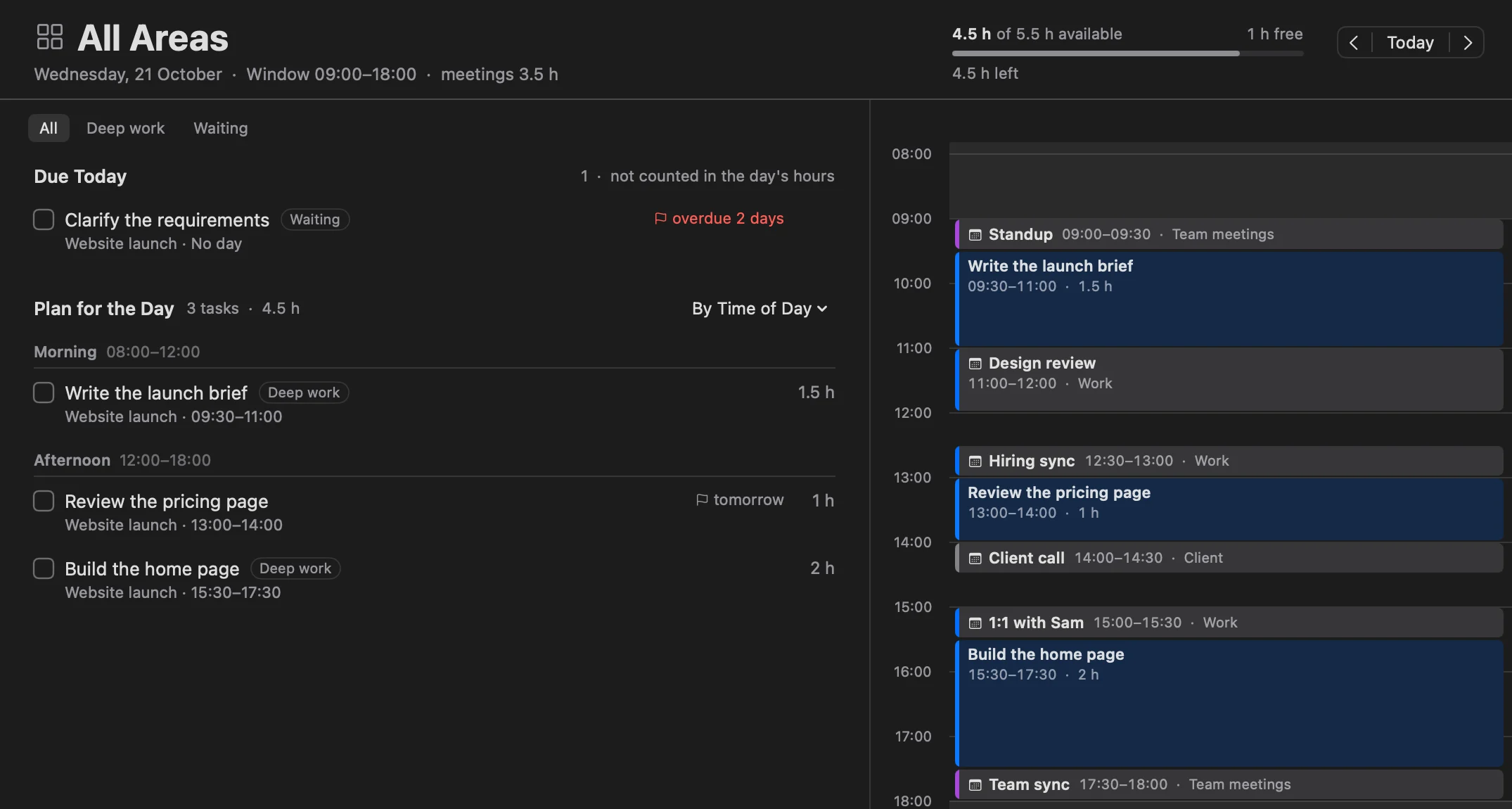
One task, as many time blocks as it needs.
Drag a task onto the timeline. Big work can take an hour before your 9:00 meeting and two after it. Each block says which part it is, and the task stays one task in its project. More about time blocking
AI planner for Apple devices · Private beta
Tasks, projects, goals and notes in one app. The assistant fits the work into your hours.
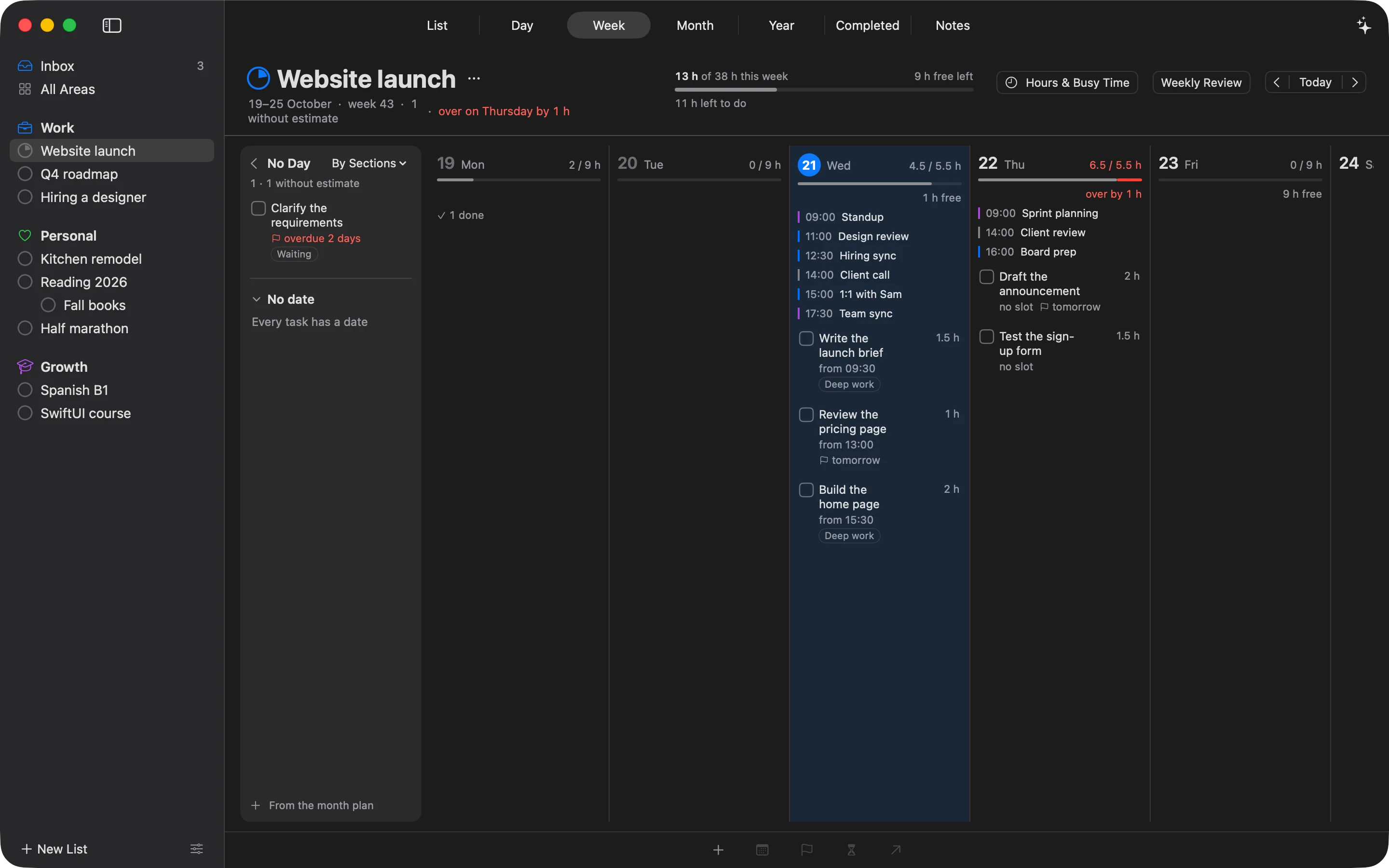
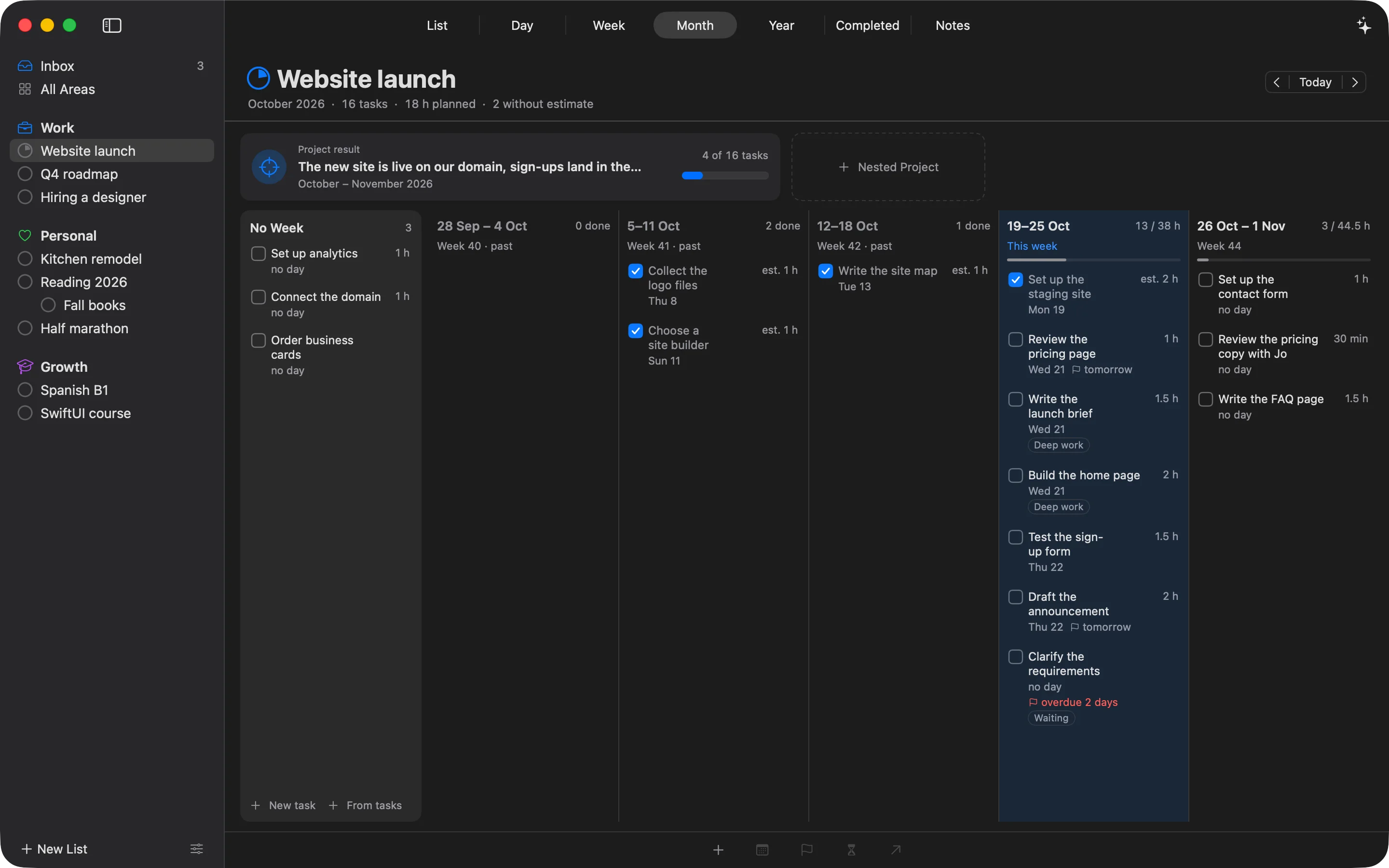
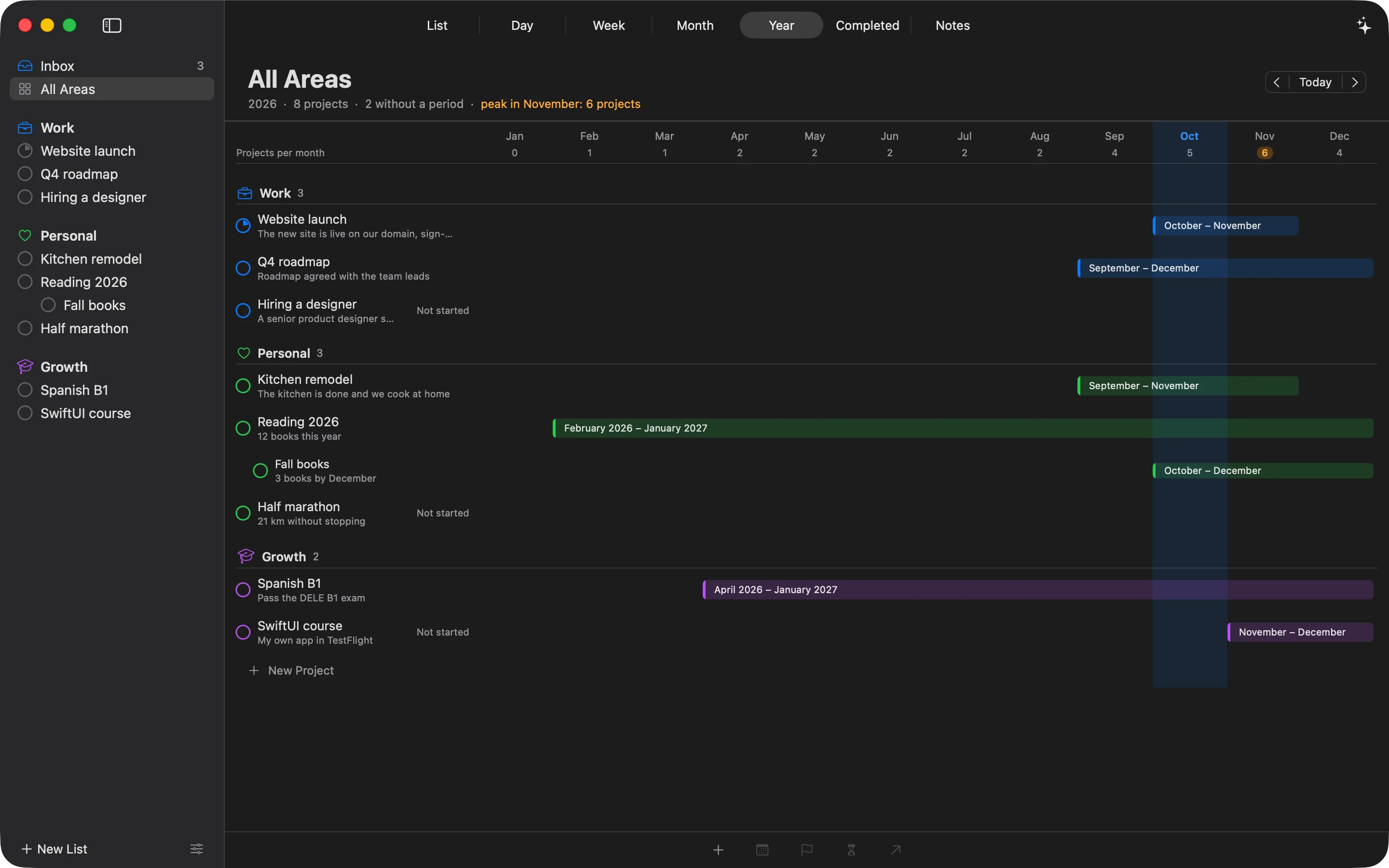
One plan on every Apple device. iPhone and iPad join in December, Apple Watch after them, with your plan in sync.
You asked. We built it.
"it's still just a text-based list ... doesn't give you any sense of 'how much of my day is taken up', 'when are the gaps'"
r/thingsapp, about a to-do app
"Doesn't keep any tasks where I move them and moved everything around constantly."
App Store review of an AI planner
"This is the slowest, most unusable app I use. Its clearly a web app wrapped into a native wrapper."
App Store review of an AI planner
How it works
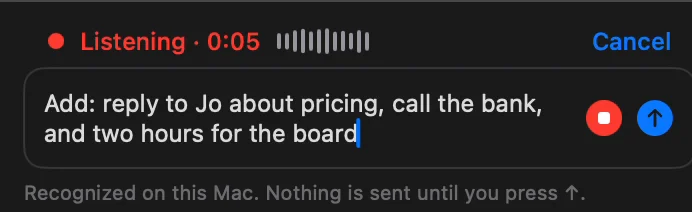
Type it or say it. Your voice is recognized right on your Mac.
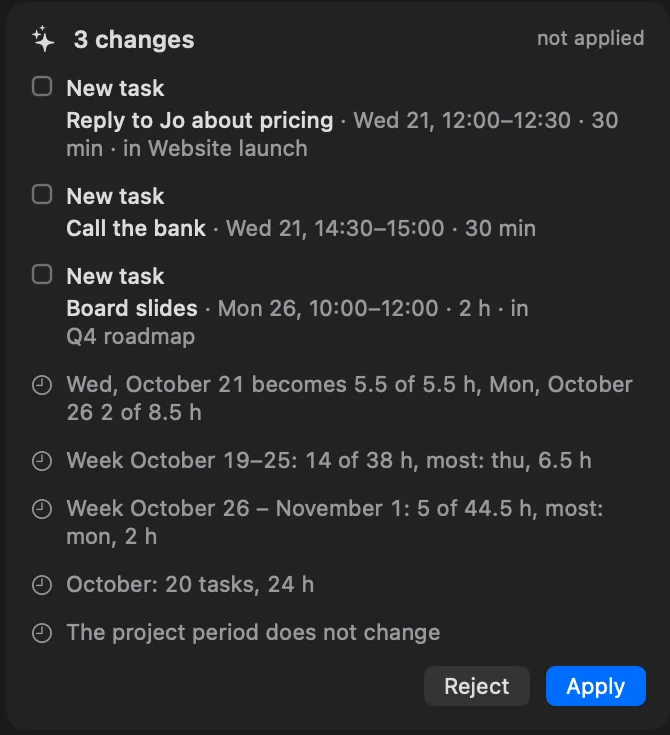
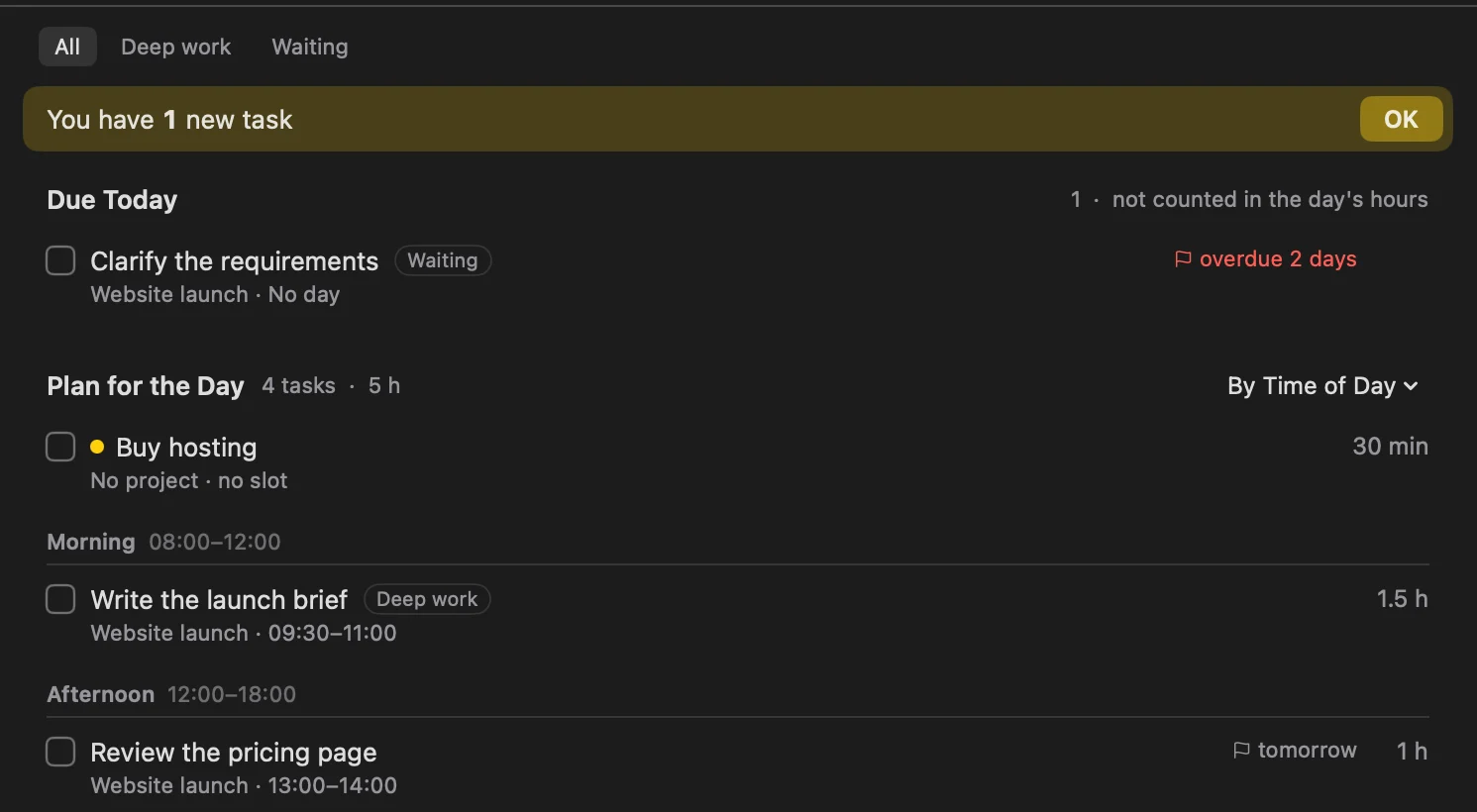
Each task gets a time between your meetings, inside your working hours. What doesn't fit goes to a day with room.
The tasks land in your day, marked as new. Nothing changes before you tap Apply, and Undo puts it all back.
Plans change? Say it again, and ALT re-plans the rest of the day.
Features
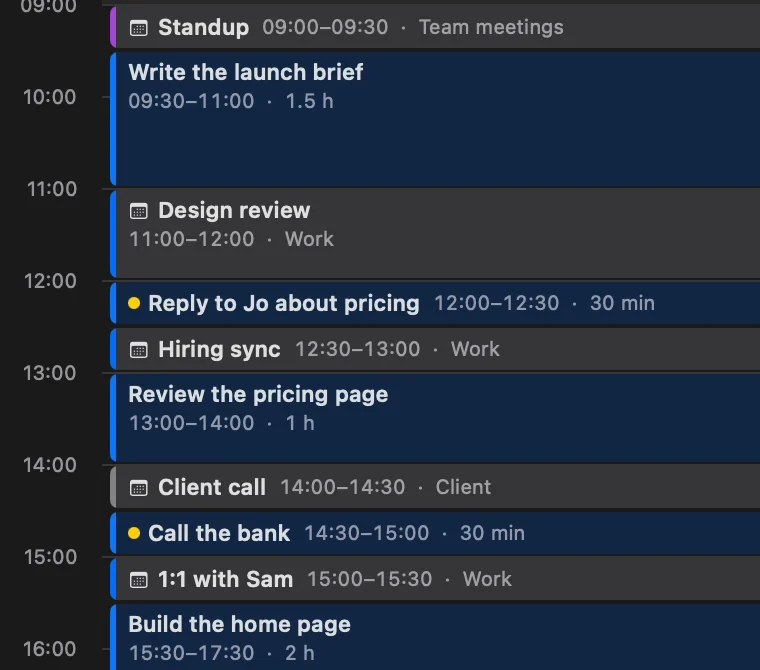
Meetings come from your calendars, and every task has its hours. The day, the week, the month and the year all add up the same way.
Drag a task onto the timeline. Big work can take an hour before your 9:00 meeting and two after it. Each block says which part it is, and the task stays one task in its project. More about time blocking
Each day of the week shows planned hours against the hours you have, minus meetings.
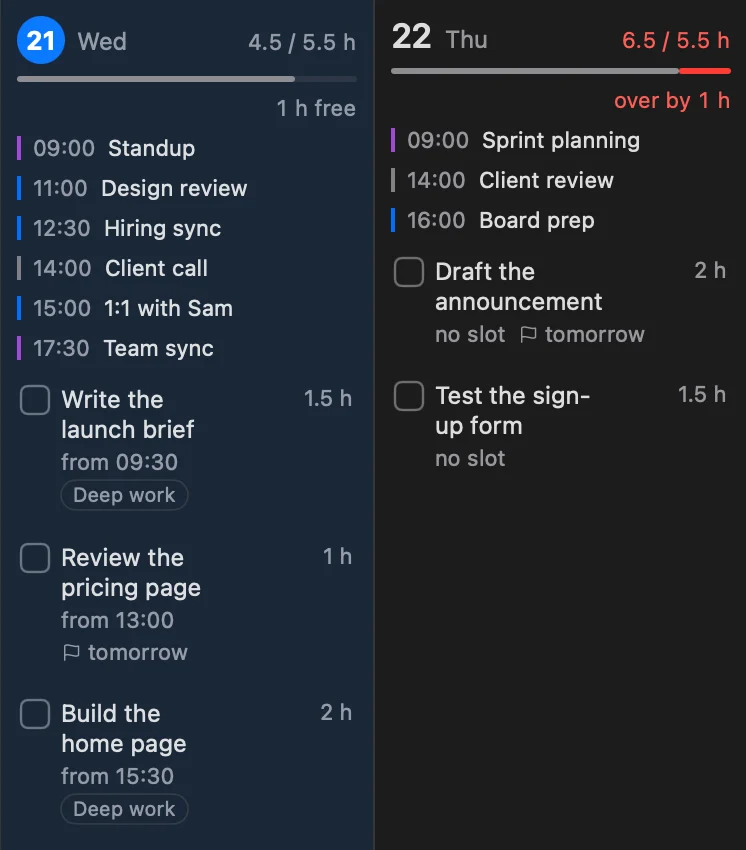
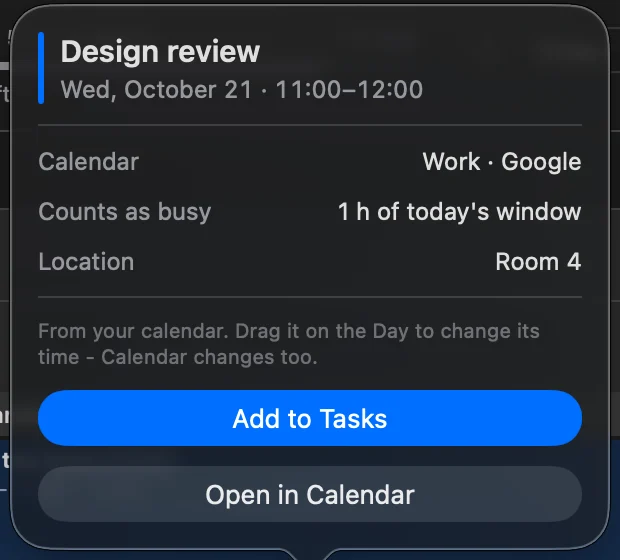
iCloud, Google and Outlook calendars from your Mac. Drag a meeting on the timeline, and it moves in your calendar too. Need to prepare? Turn the meeting into a task.
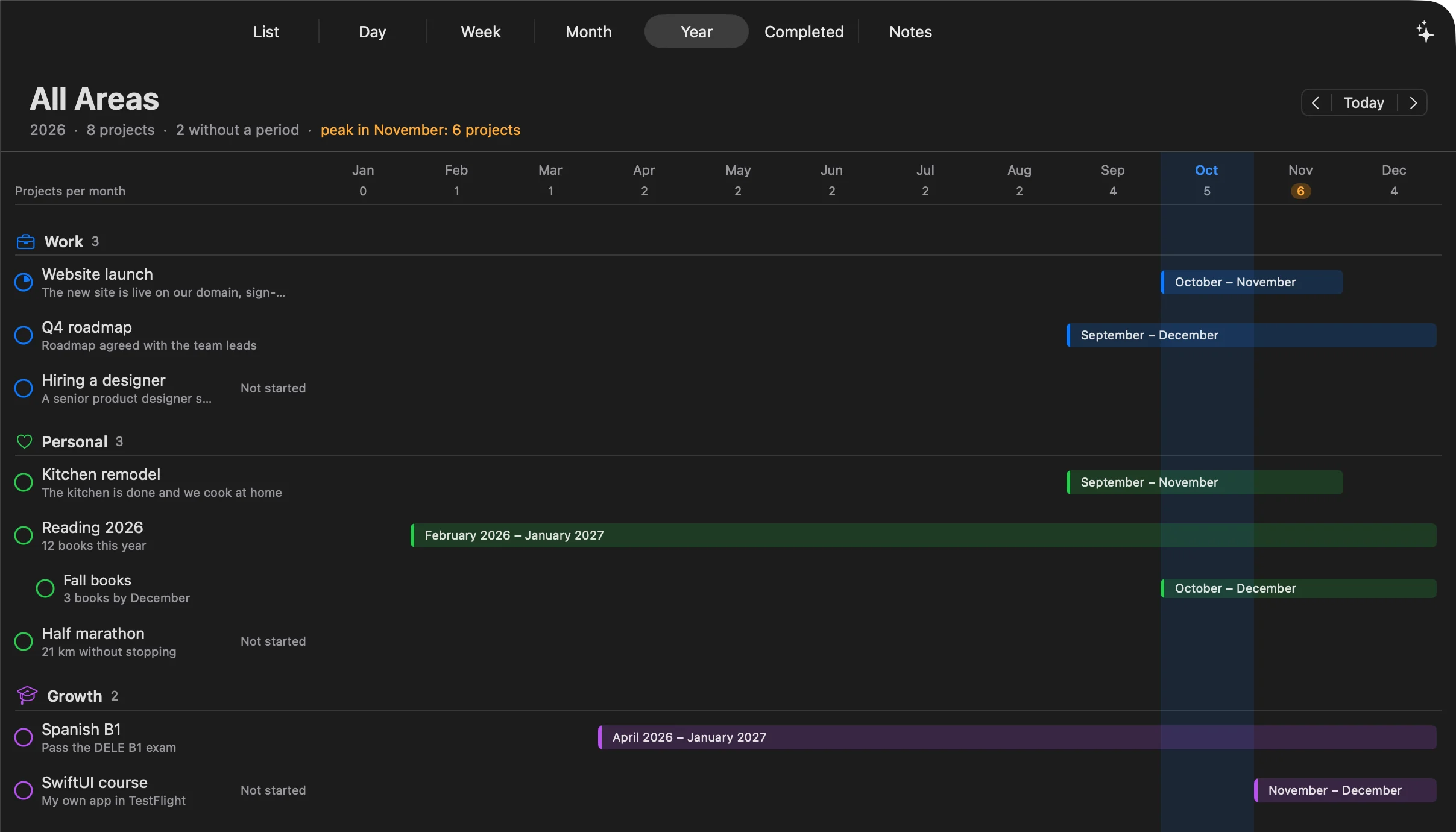
Give a project its months and a task its week. The year shows every project's months and how many run at once, so a crowded November shows up in September.
ALT runs a local MCP server on your Mac. Claude Code and Codex can read and change your plan and notes. What they add is marked as new, and every change can be undone. How it works
Areas, projects with sections, and notes in a built-in outliner: checklists, photos and links. Coming from Obsidian? Bring your notes along.
Built in SwiftUI, Apple's own framework, not a web page in a wrapper. Screens switch instantly, and the Things shortcuts work the way you expect.
Compare
| Feature | ALT | Sunsama | Motion | Things 3 |
|---|---|---|---|---|
| Native Mac app | YesSwiftUI | NoElectron | NoElectron | Yes |
| Meetings and tasks on one timeline | Yes | Yes | Yes | NoEvents above the list |
| Planned hours against the hours you have | YesDay, week, month | PartlyA daily limit | PartlyTeams, on Business AI | No |
| Several time blocks for one task | Yes | Yes | Yes | No |
| AI that plans your day | YesWaits for your Apply | YesSunny | YesReschedules on its own | No |
| Claude and Codex over MCP | YesOn your Mac | YesRemote server | NoThird-party only | NoThird-party only |
| Price | Free during the beta | $17-22 a month | $29-49 a month | $49.99 once, Mac |
Checked October 21, 2026. Sources and details: vs Sunsama · vs Motion · vs Akiflow · vs Things 3 · vs Todoist
Pricing
Free
while ALT is in beta
We're sending test builds in small groups, starting with Mac. Join the list, and we'll send you one soon.
Mac with macOS 14 Sonoma or later. iPhone and iPad (iOS 17 or later) join the beta in December, and an Apple Watch app comes after them. ALT is built only for Apple devices, so there's no Windows or Android version.
Yes. ALT reads the calendars you've added to Apple's Calendar app, including iCloud, Google and Outlook accounts, and plans around your meetings. Move a meeting on ALT's timeline, and it moves in your calendar too. Your task blocks stay in ALT.
Only what it needs to answer, and only when you ask it something: your tasks, hours, meetings and notes. With an Anthropic key it can also search the web. Dictation is recognized on your device. Details are in the Privacy Policy.
For now, yes. In the beta the assistant runs on your own Anthropic, OpenAI or OpenRouter key, and requests go straight from your device to that service. We're working on a version that needs no key.
On your Mac. Your plan lives in a database on your device. There's no account and no sync yet. The assistant gets your plan only when you ask it something.
Sync between your Mac and iPhone, tasks from screenshots, reminders before a block starts, and writing task blocks to your calendar. They're on the way, and beta testers will hear first.
The beta is free. ALT will have paid plans after the beta, and beta testers will get special terms. We'll share prices before the launch.
Dmitrii Bugaev, a product manager who uses ALT every day. Questions go straight to the maker: hello@altplan.app.
Mac first. iPhone and iPad in December. We'll send you a test build soon.
Join the beta